BareMetal-C
setup simulide:
0. Prerequisite:
- Before install simulide, you must have installed the tools. See setup tools.
1. Download and install SimulIDE:
- Download SimulIDE from SimulIDE download page.
- Select
Last Stable Version, and selectOperating Systemto beWindows 64for Windows andMacOs x86for macOS. - You may put in
0as the donation amount. Then clickDownload.
- Select
-
macOS: unzip the download and drag
simulideto yourApplicationsfolder. -
Windows: unzip the download. Rename the folder from
SimulIDE_1.1.x...tosimulide. There’s no installer for Windows. ChangeNAMEto your username below:-
Put
simulidefolder in:C:\Users\NAME\Documentsso this file exists:C:\Users\NAME\Documents\simulide\simulide.exe -
Go into
C:\Users\NAME\Documents\simulide\folder, right click onsimulide.exeand selectPin to Start
-
2. Set class subcircuits
-
Launch
simulide. It will probably not run the first time. -
Windows: You may get a prompt that
simulideis a software downloaded from the internet. Allow it to run. - macOS: Go to
System Settings→Privacy & Security→ scroll to bottom, you will see:"simulide" was blocked to protect your Mac- Click
Open Anyway. Provide TouchID or password to allow it. - It may prompt:
To open this app, you need to install Rosetta. Do you want to install it now?Make sure you install Rosetta.
simulideneeds it.
- Click
-
Start
simulide. You will get the main window that looks like this: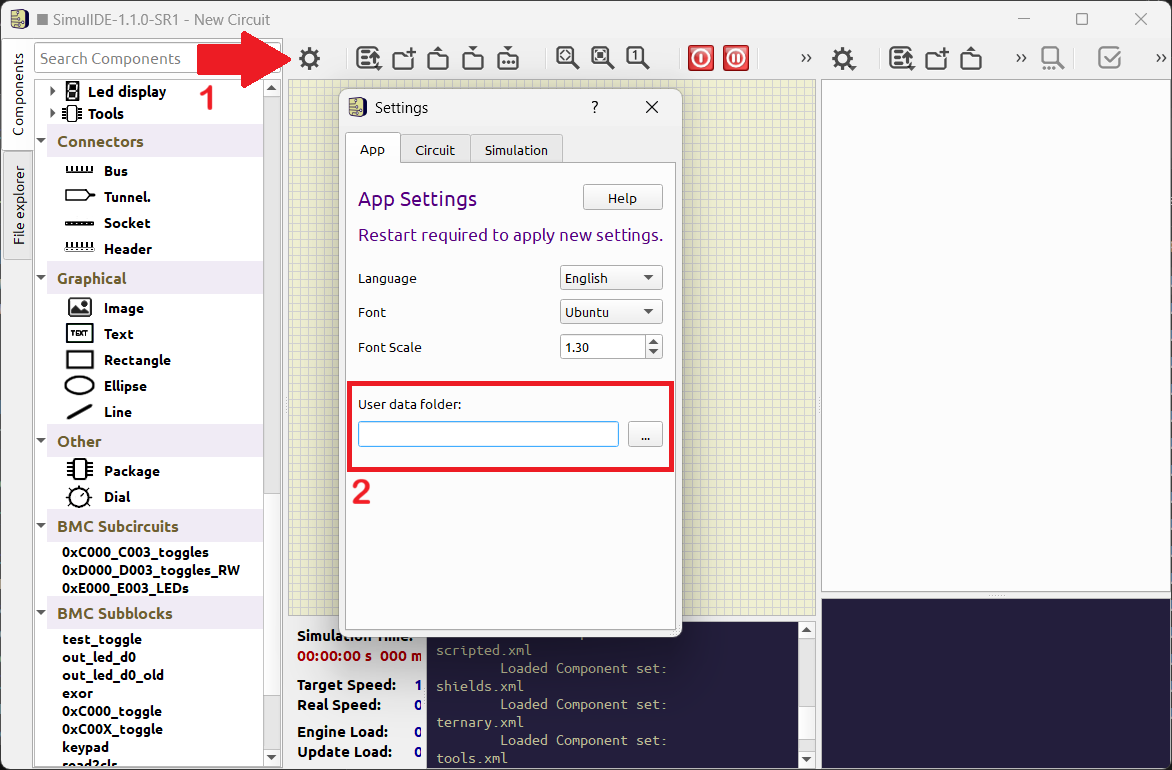
- (1 in picture above) Click the
⚙ gear iconon the top left (to the right ofSearch Componentsbox - (2 in picture above) Settings window will appear. Select
Apptab. On the bottom there is:User Data folder: <blank> [ ... ]- Click the
...button and choose folder:Documents/BareMetal-C-Labs/sim/subcircuits/ - macOS: While still in Settings window, click
Circuitand check☑ Show ScrollBars
- Click the
- Close
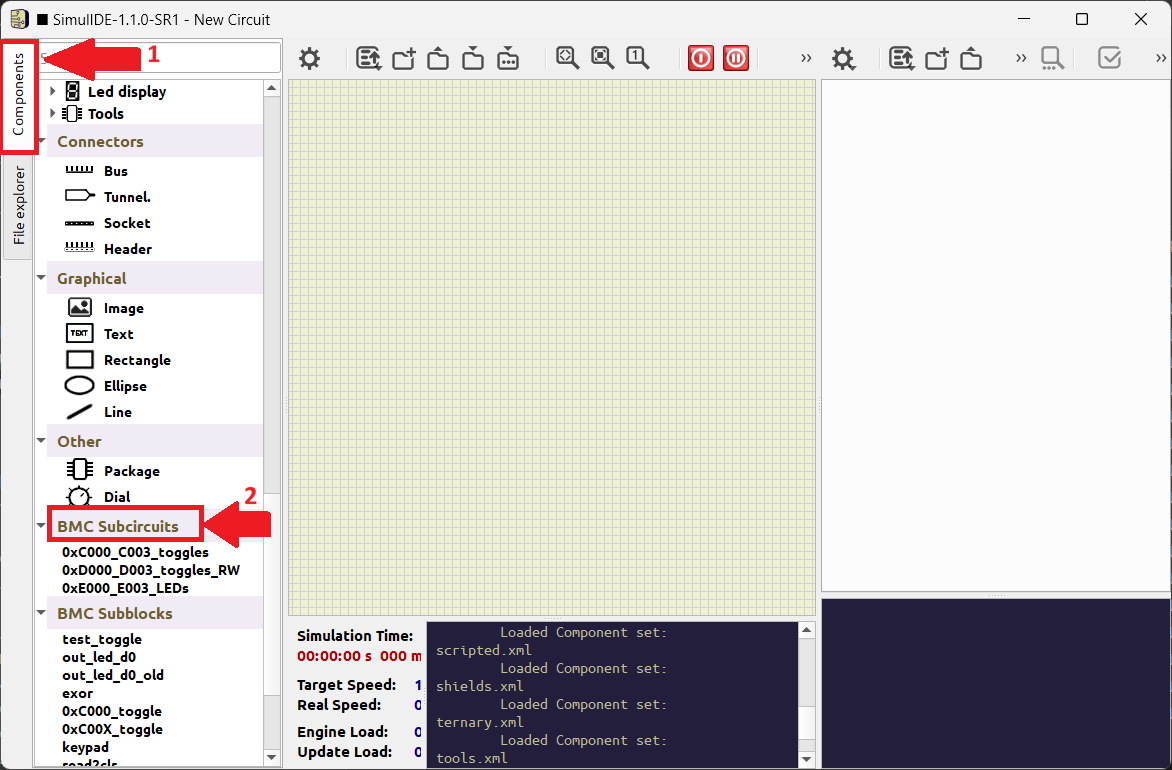
simulideand restart it. - 1. On leftmost side, select
Componentstab, a column on components will show, starting fromMeters,Sources, etc. -
2. Scroll down all the way to the bottom, you should see
BMC SubcircuitsandBMC Subblocks. These are the design used for our class.See picture below:
- You can close
simulidenow. It’s ready for use.
3. Test that subcircuit is set correctly
-
Run
simulideand clickOpen Circuit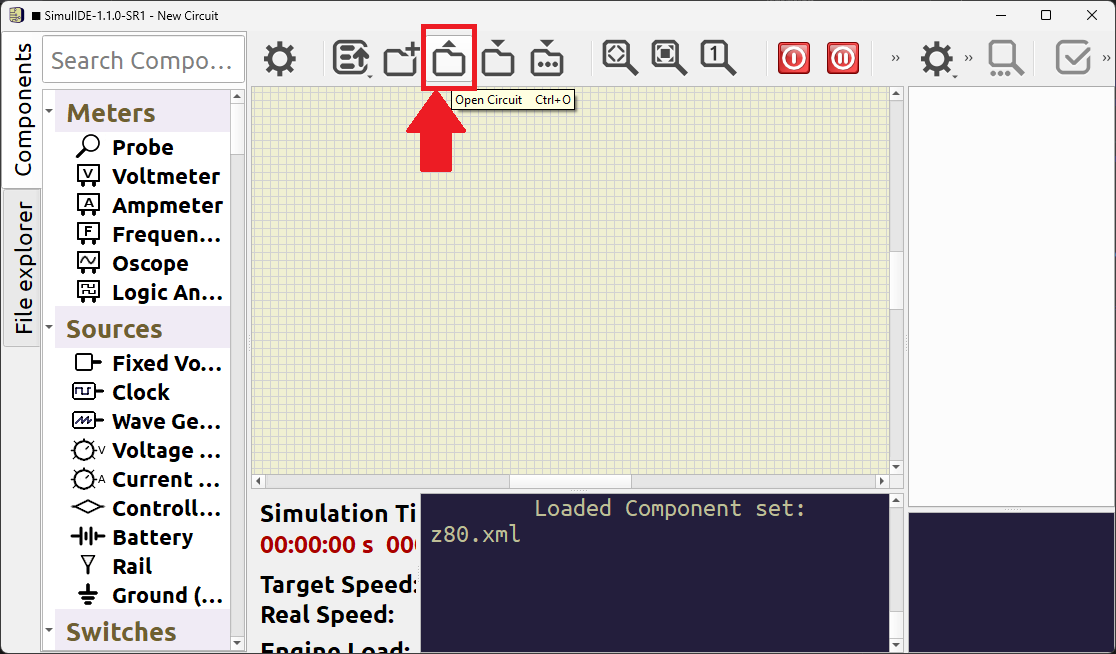
- Choose
Documents/BareMetal-C/sim/05_freq_200kHz.sim1 -
The following picture should show up. Note the area in red rectangle.
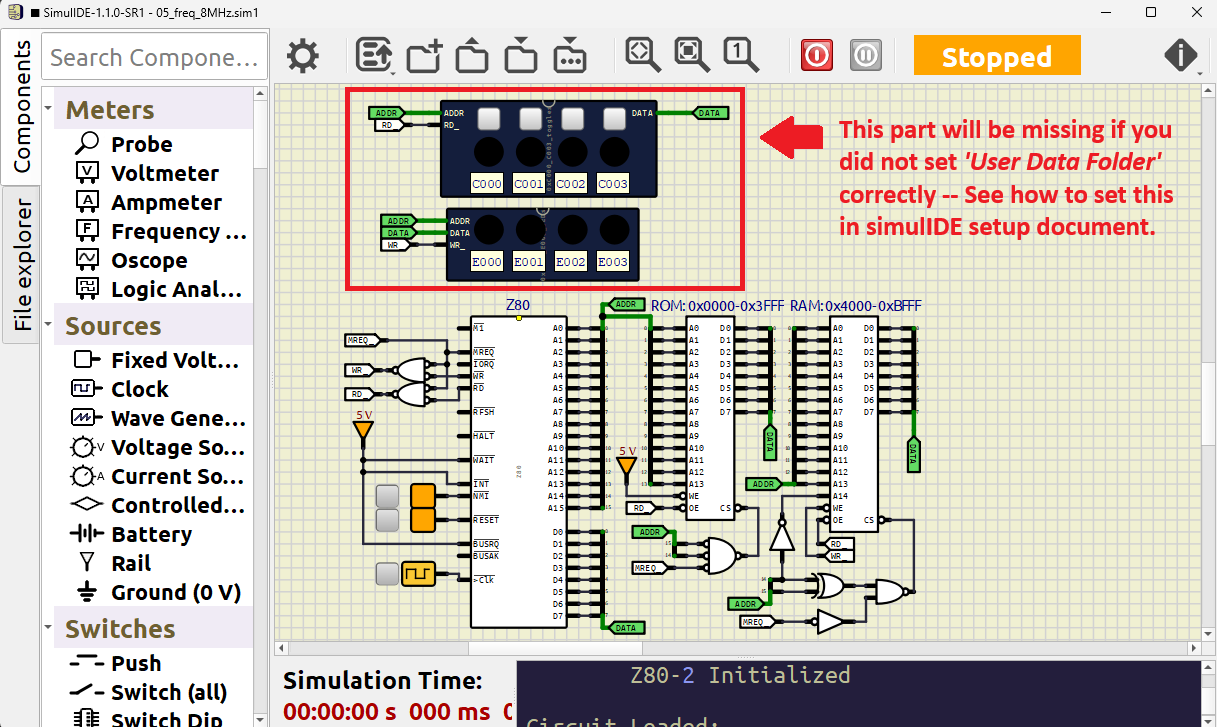
Troubleshooting:
The cause for missing circuit in the red rectangle above is not setting User Data Folder (subcircuits) correctly. Go back to the previous section and fix it.
4. Set up Visual Studio Code (VS Code)
Goto set up VS Code.
Go back to home page