BareMetal-C
How to regularly update the course material
As the course progresses, more and more material will be added to this repository. You need to regularly update 2 things manually to keep up with the latest lectures, bug fixes, etc.
1. Update course repository using GitHub Desktop
works for both macOS and Windows:
-
Start
GitHub Desktopapp. Make sure you are atBareMetal-Crepository (1), then clickfetch(2).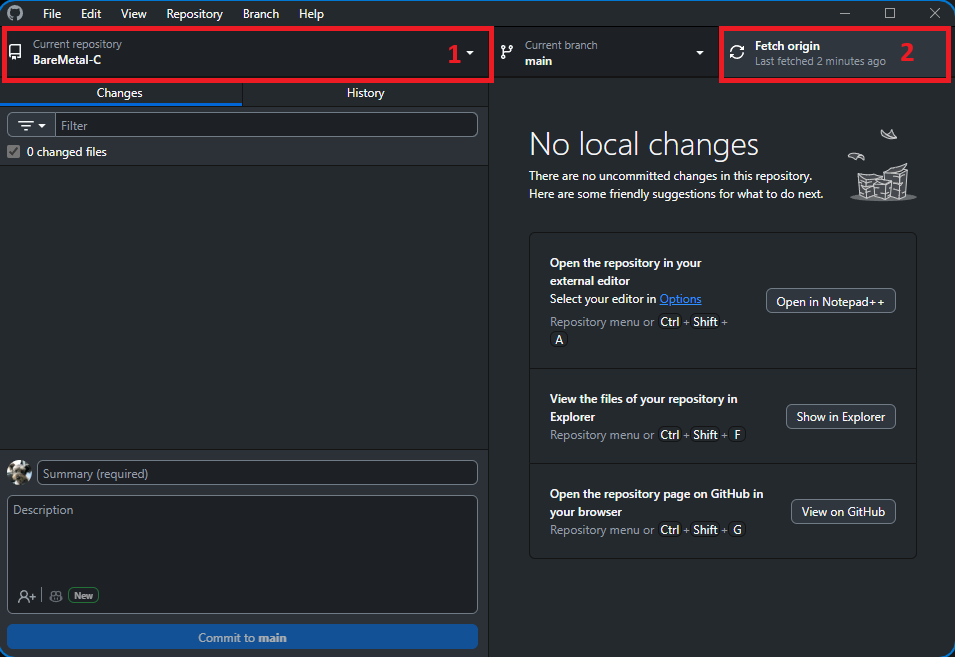
-
If there’s any update, there will be an option to do a pull. Click
pull.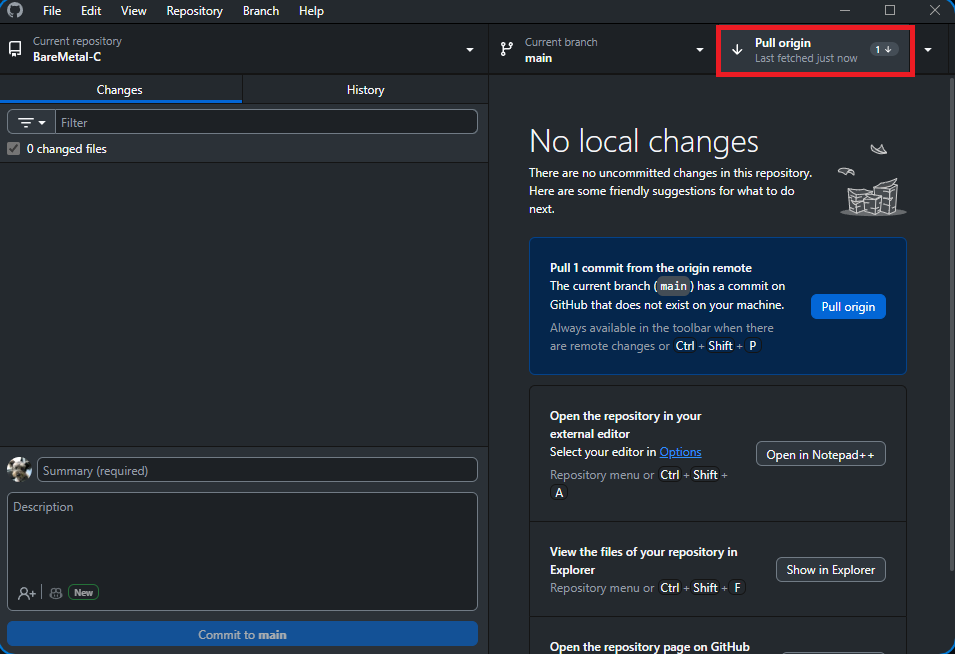
-
The course material will be updated to the latest version as of the time of update.
2. Update Docker Images
Windows:
-
Open
PowerShell. Copy and paste the following:docker images --format ":" | Where-Object { $_ -notlike "*<none>*" } | ForEach-Object { docker pull $_ }; docker image prune -f -
Wait for the command to finish and you get the prompt back. You will get the following message:
Total reclaimed space: ...
macOS:
-
Open
Terminal. Copy and paste the following:docker images --format ":" | grep -v "<none>" | xargs -L1 docker pull && docker image prune -f -
Wait for the command to finish and you get the prompt back.You will get the following message:
Total reclaimed space: ...
Go back to home page